
Project Archive
You can archive projects in Vismo with just a few clicks - perfect for wrapping up completed work while keeping your project data safely stored.
You can archive projects in Vismo with just a few clicks - perfect for wrapping up completed work while keeping your project data safely stored.
What does Project Archive do?
- 🔒 Hides the project from users, so nothing can be edited or changed
- 📁 Keeps all of the project’s data safely stored
- ♻️ Lets others take a copy if they still need to work on it
This is ideal when you need to retain project data for the long haul. Everything stays safe and intact, and an Admin can unarchive the project instantly.
How to Archive a Project
You need to be a project Admin to archive a project.
Step 1: Go to Vismo Home
Step 2: Find the project you want to archive in your project list
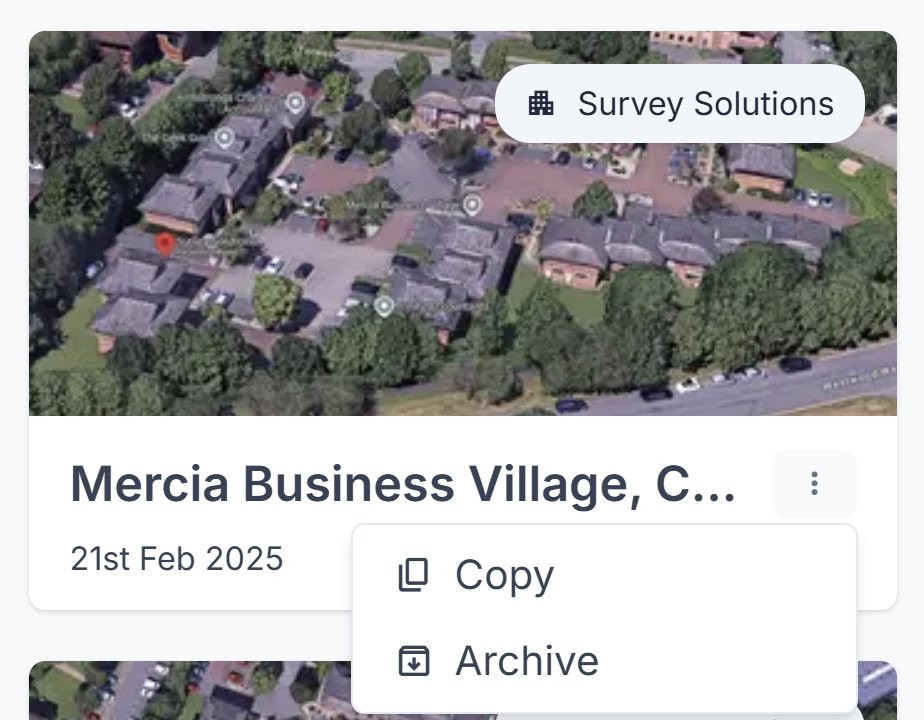
Step 3: Select "Archive" from the project’s options menu (⋮)
You can also archive a project from its Settings, on the Danger tab.
What Happens When a Project is Archived?
- The project is hidden from users and locked.
- Only project Admins can unarchive it if further edits are needed.
- Other users who open the project can take a copy of it to keep working from a duplicate (if they’re allowed to create projects in their organisation), or email an Admin to ask for it to be unarchived.
An archived project still counts towards your organisation’s project limit.
How to Unarchive a Project
If you're a project Admin, choose Unarchive from the same options menu, or open the project and unarchive it from there.
Last reviewed 28 October 2026